基于 SIFT 算法实现图像识别
任务
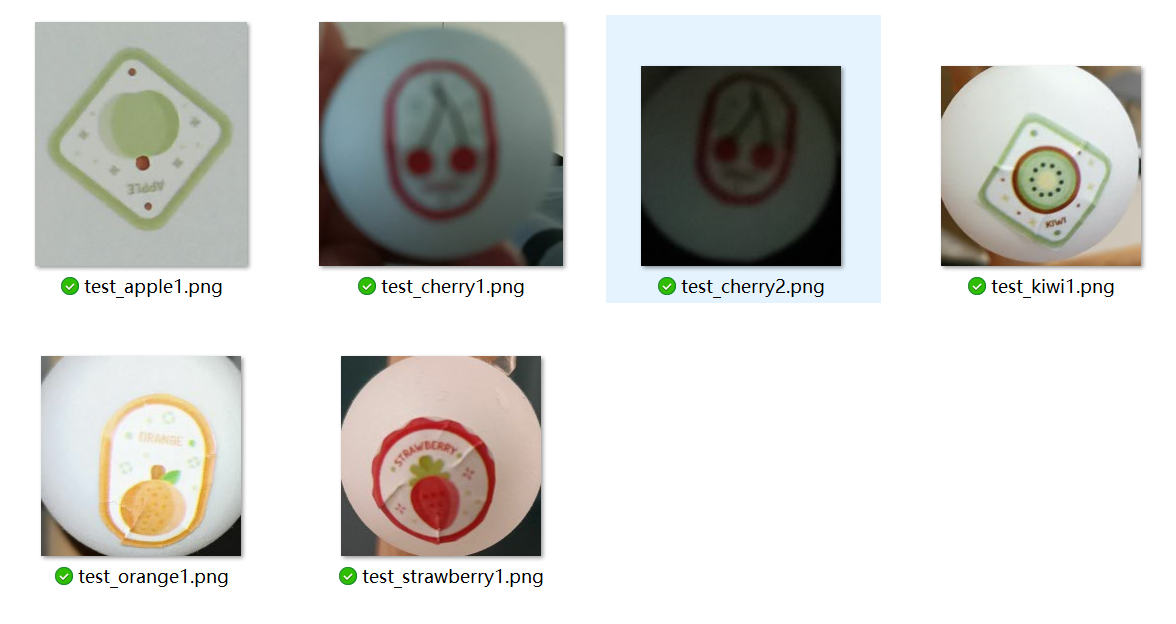
识别现实环境下拍摄的贴图(共六张)
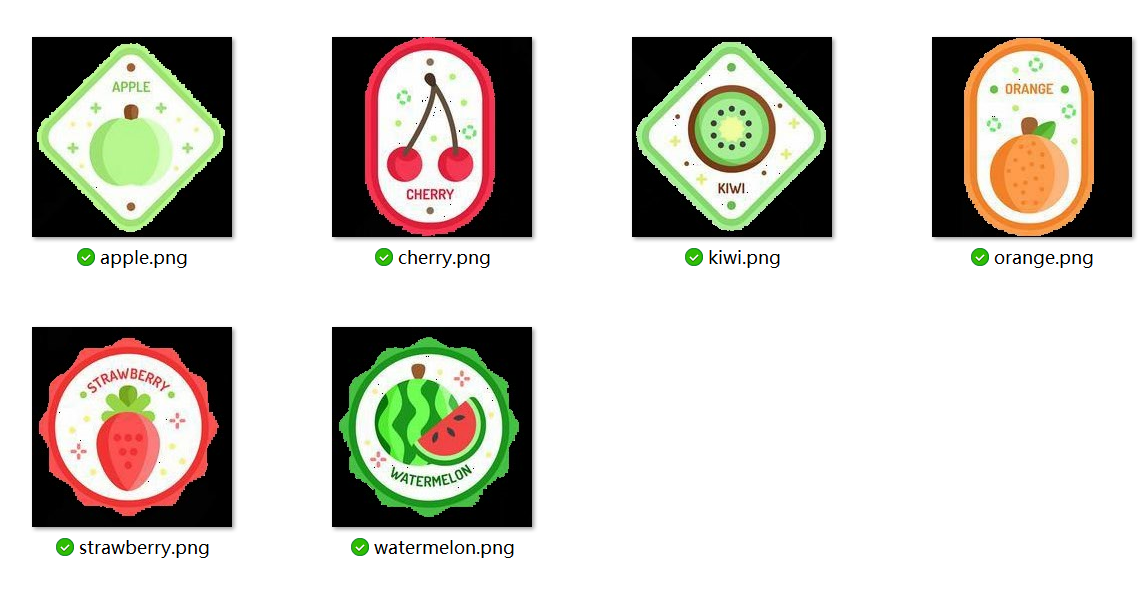
现实环境下的图片已经经过裁剪
环境配置
建议使用 Python 3.7 版本进行实验,需要安装 OpenCV 3.4.2.16 以下的版本,以后的版本因为版权原因删除了 SIFT 算法,在未来版本可能再次加入。
安装对应版本的 OpenCV 命令:
sh
pip install opencv-python==3.4.2.16
pip install opencv-contrib-python==3.4.2.16
下面是实验代码:
py
import os
import sys
import time

import cv2

PATH_IMG = './objpics/'
PATH_TEST = './test/'

NAME_IMG = {
    'apple': 'apple.png',
    'cherry': 'cherry.png',
    'kiwi': 'kiwi.png',
    'orange': 'orange.png',
    'strawberry': 'strawberry.png',
    'watermelon': 'watermelon.png'
}

glo_data = {
    'apple': {},
    'cherry': {},
    'kiwi': {},
    'orange': {},
    'strawberry': {},
    'watermelon': {}
}

BFM = cv2.BFMatcher()
try:
    SIFT = cv2.xfeatures2d.SIFT_create()
except AttributeError:
    print(
        '错误!你的 OpenCV 不支持 SIFT,可能是版本过高',
        '您需要确保 Python 版本 <= 3.7',
        '如果需要下载您需要的版本,可以访问 '
        'https://pypi.org/project/opencv-contrib-python/3.4.2.16/#files',
        '或者使用如下命令安装:',
        'pip install opencv-python==3.4.2.16',
        'pip install opencv-contrib-python==3.4.2.16',
        sep='\n')
    sys.exit(1)


def process() -> None:
    '''
    预处理所有待识别的图像
    '''
    for key, value in NAME_IMG.items():
        img = cv2.imread(os.path.join(PATH_IMG, value))
        glo_data[key]['img'] = img
        glo_data[key]['key'], glo_data[key]['des'] = \
            SIFT.detectAndCompute(img, None)


def detect_type(img, ratio: float = 0.8,
                k: int = 2) -> dict:
    '''
    检测图像类别,类别由全局对象 `glo_data` 决定
    @param `img` 图像对象
    @param `ratio` 相似度阈值
    @param `k` KNN 算法 `k` 值
    '''
    start_time = time.time()
    key, des = SIFT.detectAndCompute(img, None)
    res_num = 0
    res_key = ''
    for key, value in glo_data.items():
        raw_match = BFM.knnMatch(des, value['des'], k=k)
        temp_num = 0
        for m1, m2 in raw_match:
            if m1.distance < ratio * m2.distance:
                temp_num += 1
        if temp_num > res_num:
            res_num = temp_num
            res_key = key
    end_time = time.time()
    return {
        'time': end_time - start_time,
        'res': res_key,
        'res_num': res_num
    }


if __name__ == '__main__':
    print('初始化...')
    process()
    print('数据加载完成')
    test_set = []
    for path in os.listdir(PATH_TEST):
        if path.startswith('test_') and path.endswith('.png'):
            test_set.append(path)
    for path in test_set:
        test_img = cv2.imread(os.path.join(PATH_TEST, path))
        print(path, ':', detect_type(test_img))
参数
detect_type() 函数返回一个字典,其中 time 代表识别所花费的时间,res 代表识别结果,res_num 代表识别出的结果与目标的匹配特征数量。
运行结果
在强光下和正常光线下识别良好,而且速度很快(大约每一张只有 秒),昏暗的灯光下和模糊图像则特征不明显。
初始化...
数据加载完成
test_apple1.png : {'time': 0.03699922561645508, 'res': 'apple', 'res_num': 21}
test_cherry1.png : {'time': 0.08799529075622559, 'res': 'kiwi', 'res_num': 1}
test_cherry2.png : {'time': 0.01600193977355957, 'res': '', 'res_num': 0}
test_kiwi1.png : {'time': 0.031998395919799805, 'res': 'kiwi', 'res_num': 37}
test_orange1.png : {'time': 0.02494192123413086, 'res': 'orange', 'res_num': 10}
test_strawberry1.png : {'time': 0.026000261306762695, 'res': 'strawberry', 'res_num': 22}
参考文献
SIFT 图像匹配及其 python 实现 . 知乎 . https://zhuanlan.zhihu.com/p/157578594